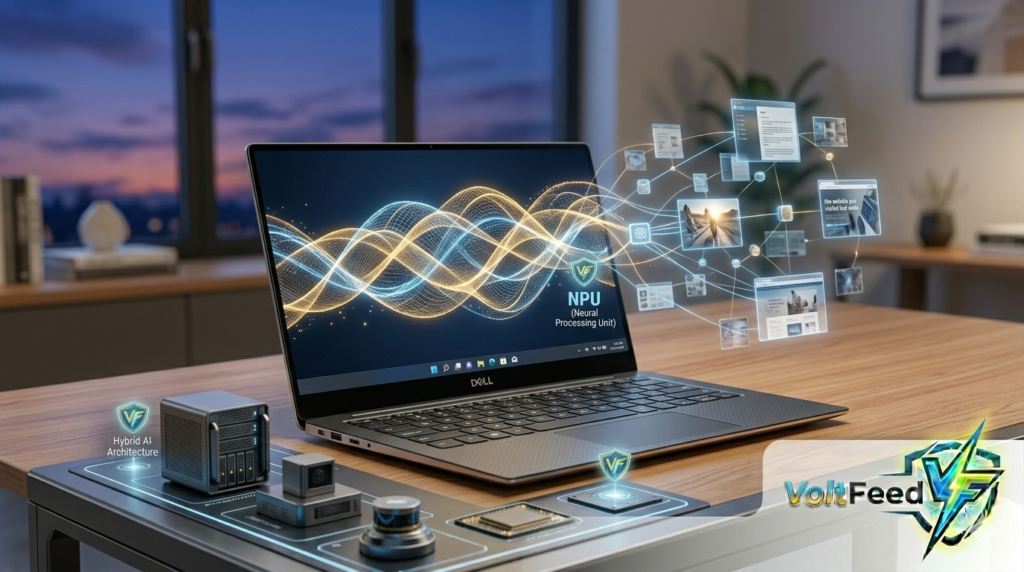
The year 2026 marks a significant period in the integration of Artificial Intelligence (AI) within the Windows 11 operating system. We are witnessing a quiet yet profound transformation, as AI moves from a novel concept to a practical toolkit embedded across our daily computing experiences. Microsoft’s vision for Windows 11 is increasingly centered around the idea of every PC becoming an “AI PC,” designed to understand our context and offer intelligent assistance. This shift aims to enhance productivity, creativity, and accessibility, making our interactions with technology more intuitive and efficient.
However, this rapid evolution isn’t without its challenges. The journey toward a deeply integrated AI operating system is a delicate balance between pushing technological boundaries and respecting user preferences. As we delve into the Windows 11 AI Update 2026, we’ll explore the core features shaping this new era, understand the user-centric developments, and address some of the pressing questions regarding its future.
Windows 11 AI: Core Features & User-Centric Evolution
The Windows 11 AI Update 2026 introduces a suite of features designed to weave AI seamlessly into the fabric of the operating system. These capabilities aim to streamline tasks, enhance creativity, and improve accessibility for a broad audience.
Copilot: The Central AI Assistant
At the heart of Windows 11’s AI experience is Copilot, acting as a system-level helper. It can perform a wide array of tasks, from answering questions and summarizing documents to generating text, brainstorming ideas, and even guiding us through PC settings and troubleshooting. For instance, we can ask Copilot to draft emails, summarize PDFs, or plan projects without needing to open separate applications.
However, the nature of Copilot’s integration has seen some reevaluation. While initially envisioned for deeper integration across various system UIs like Settings and notifications, Microsoft has reportedly scaled back some of these plans to reduce “AI bloat” and respond to user feedback. Furthermore, for some users in the Insider Program, Copilot has transitioned back to a WebView-based application, moving away from a fully native UI framework.
Enhanced Productivity and Accessibility Tools
Beyond Copilot, several other AI-powered features are making a tangible difference:
- Microsoft Recall: Available on Copilot+ PCs, Recall acts as a searchable memory of everything that appears on our screen, taking periodic snapshots of activity. This allows us to search for past content, like “the article I was reading Thursday morning,” and retrieve it. Significantly, Microsoft has built in privacy controls, with Recall being off by default and all data encrypted and stored locally on the device.
- Live Captions and Real-time Translation: This accessibility feature can capture any audio output from our PC and convert it into real-time text captions. It also offers instant translation of spoken audio from dozens of languages into our preferred language, proving invaluable for communication and content consumption.
- Text Actions in Snipping Tool: The AI-powered Snipping Tool now includes “Text Actions,” which uses Optical Character Recognition (OCR) to identify and copy text from any screenshot. This is a significant time-saver for students and researchers.
- Creative AI: Features like Paint Cocreator allow for AI-assisted doodling, while Generative Erase in Photos helps clean up images by intelligently removing unwanted elements.
- Windows Studio Effects: These effects leverage AI to enhance camera output, offering features like background blur, eye contact correction, and automatic framing for video calls.
The Rise of Agentic AI
A key development in the Windows 11 AI Update 2026 is the move towards an “agentic” operating system. This means AI developers can build tools that automate processes using AI assistants, with Copilot being one of the first to leverage this platform. These AI agents are envisioned to eventually control Windows, perform tasks in a mini-desktop environment within the Copilot app, and even manage workflows like browsing the web, writing documents, and scheduling tasks automatically. Microsoft aims to make AI agents a more integrated part of the system, potentially even with experimental “Agent Workspaces” that run locally on our PCs.
Hardware and User Choice
The full potential of some AI features, particularly those offering the fastest and lowest-latency experiences, relies on newer hardware equipped with a Neural Processing Unit (NPU), branded as Copilot+ PCs. Major manufacturers showcased new AI-powered laptops at CES 2026, featuring processors like AMD’s Ryzen AI 400 Mobile Series, signifying a strong industry push towards dedicated AI hardware.
Crucially, Microsoft has acknowledged user feedback regarding AI integration. There’s a growing demand for AI features to be optional and user-controlled, with many users expressing discomfort with forced additions. Microsoft is reportedly reviewing how AI should evolve across Windows, with calls for a centralized “master AI switch” to disable all AI features at once. This indicates a shift towards prioritizing transparency, consent, and user choice to build trust in AI technology.
Frequently Asked Questions (FAQ)
What defines an “AI PC” in 2026?
An “AI PC” in 2026 is generally a Windows 11 computer designed with integrated AI capabilities, often featuring a Neural Processing Unit (NPU) for enhanced performance of AI tasks directly on the device. These PCs are optimized to run AI features like Recall and advanced Copilot functions more efficiently.
Is Copilot mandatory in Windows 11?
While Copilot is a central part of Microsoft’s AI strategy, there is growing user demand for AI features to be optional. Microsoft has scaled back some of its earlier plans for deep, mandatory Copilot integration into system UIs, and there’s an ongoing push for greater user control over AI features.
What about privacy with AI features like Recall?
Microsoft has implemented several privacy safeguards for features like Recall. For instance, Recall is off by default, requiring explicit user activation. All snapshots and index data are encrypted and stored locally on the device, protected by Windows Hello and other security measures, and are not sent to Microsoft’s cloud servers.
Conclusion: A Balanced Future for AI in Windows 11
The Windows 11 AI Update 2026 represents a significant leap in how we interact with our personal computers. From the versatile assistance of Copilot to the innovative capabilities of Recall, Live Captions, and creative tools, AI is increasingly becoming an integral part of the Windows 11 experience. The vision of an “agentic” OS, where AI intelligently automates complex tasks, holds immense potential for future productivity.
However, the success of this AI evolution hinges on a balanced approach that prioritizes user choice and trust. Microsoft’s responsiveness to feedback, including scaling back some forced integrations and emphasizing optionality, indicates a recognition of the importance of user control. As we move forward, the continued development of AI in Windows 11 will likely focus on refining these powerful tools, ensuring they are not only innovative but also intuitive, secure, and respectful of our preferences. The future of AI in Windows 11 is poised to be one of collaboration, where our PCs become smarter, more helpful partners in our digital lives.